While FlutterFlow's built-in Supabase actions, such as 'Insert Row', streamline development, they currently lack direct outputs for success/failure status or detailed error messages within the standard action flow editor. This presents a challenge when you need to implement robust, user-friendly error handling – like showing an alert dialog on failure or logging the specific error – immediately after the action attempts to execute. Relying solely on the built-in action makes it difficult to conditionally react to outcomes within the same action chain, which is crucial for a production-ready application.
Let’s try this with an Example:
In this video you can see how I am struggling to identify the error caused while inserting a new row in Supabase.
Solution:
The recommended and most flexible solution is to encapsulate the Supabase operation within a FlutterFlow Custom Action. Create a custom action (e.g.,insertMedicineWithHandling ) that accepts the necessary data (like the details for your inventorymedicinetable) as input parameters. Inside the custom action's Dart code, you will use the Supabase Dart client, accessible via Supabase.instance.client .
Steps:
Follow the steps to create a custom flutterflow action:
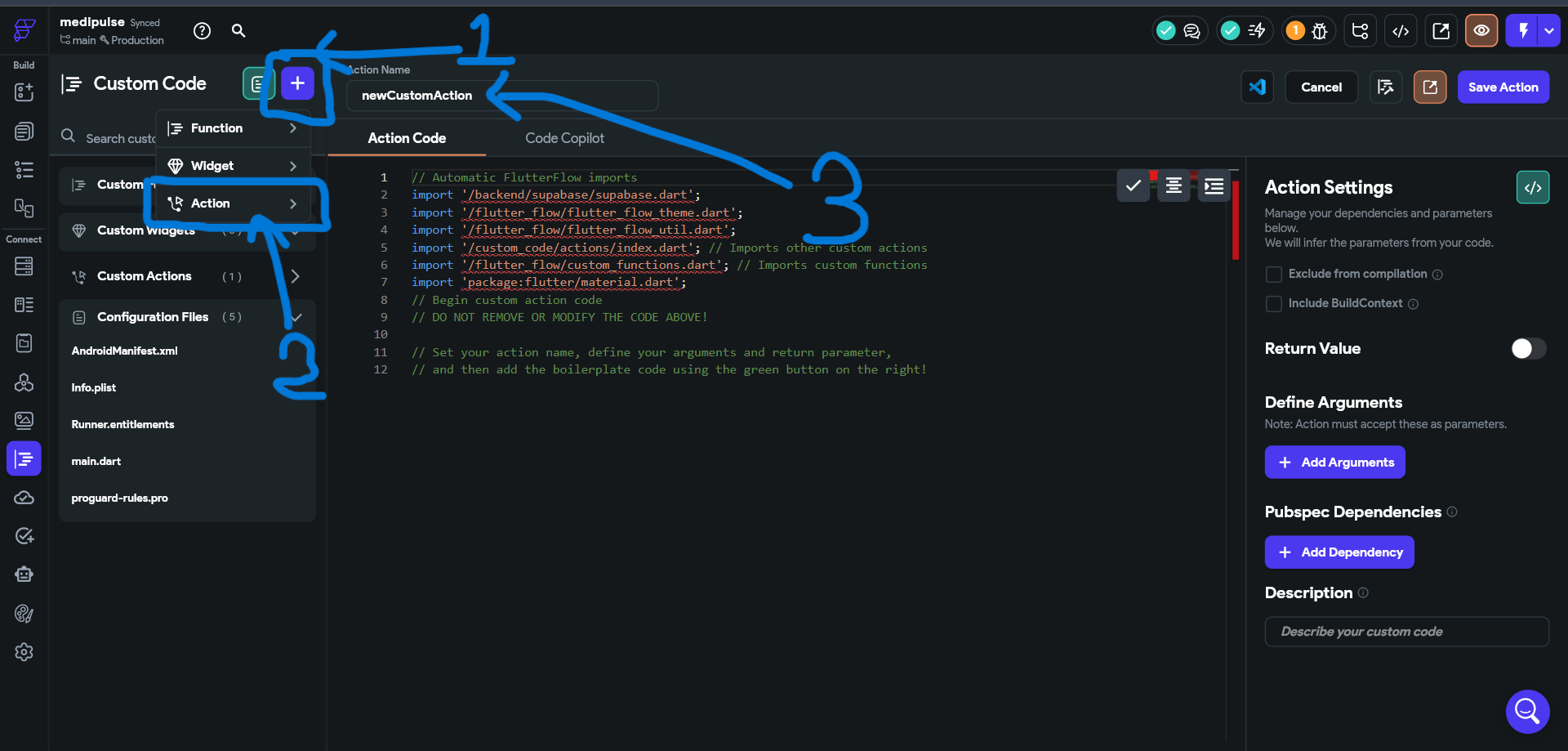
- Click on that add icon.
- Then select ‘Action’ from the dropdown option.
- From that input field rename the Action as “insertMedicineWithHandling”.
- Add the following Arguments:
name(String),price(double),manufacturerName(String) and turn on the “Return Value” option.
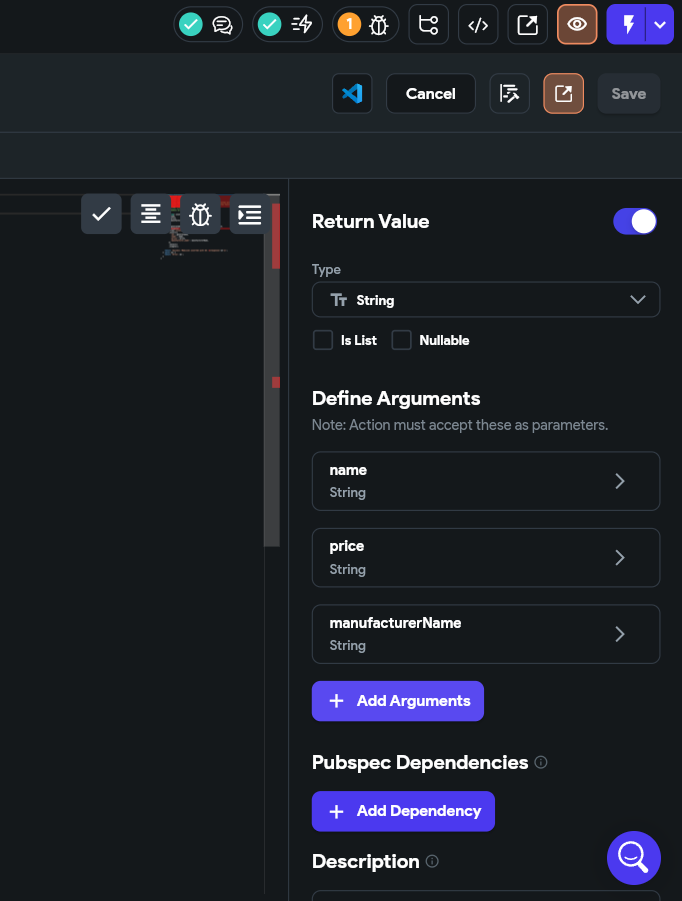
After successfully setting up the custom action. We will now use this code:
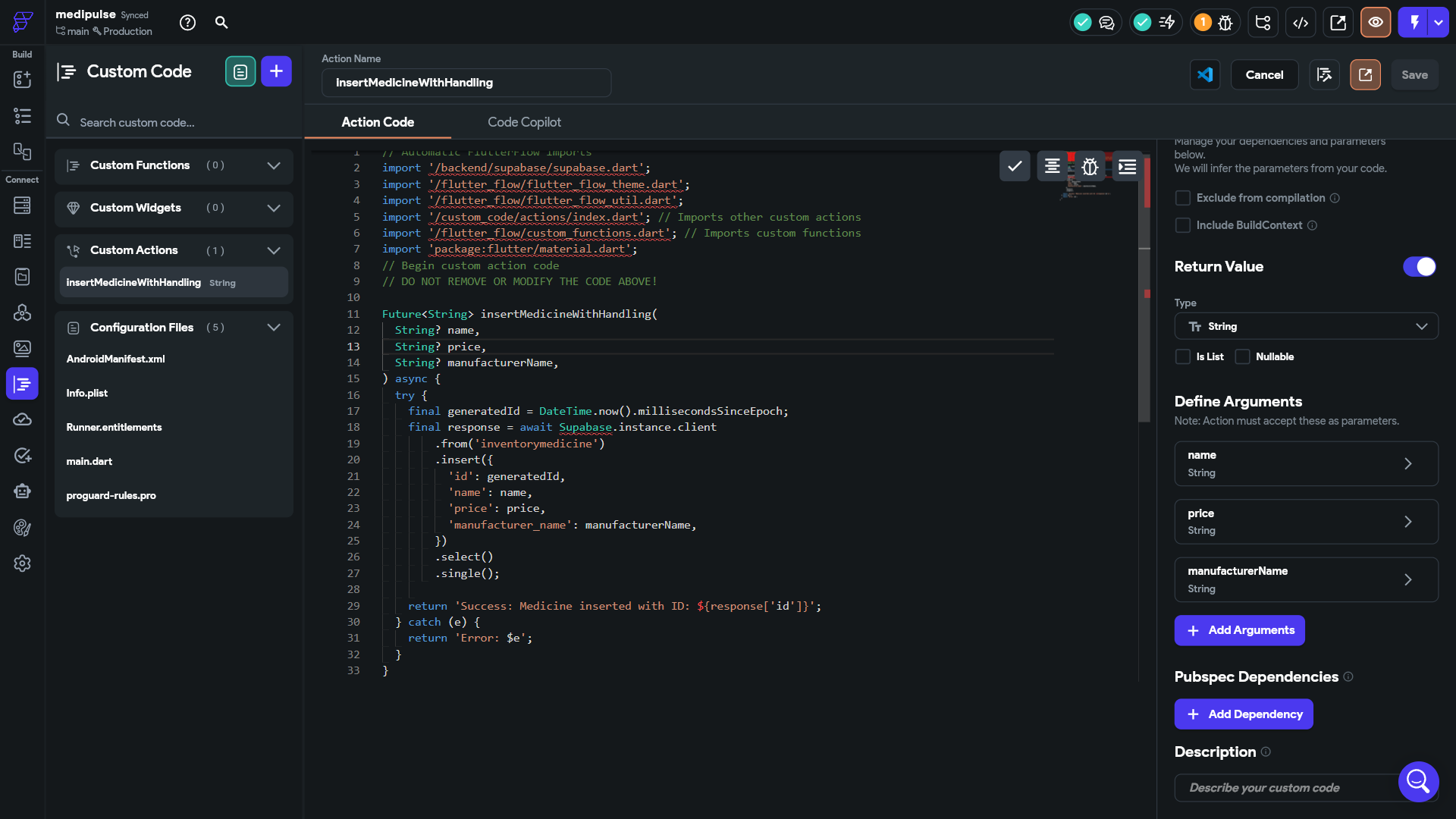
Future<String> insertMedicineWithHandling(
  String? name,
  String? price,
  String? manufacturerName,
) async {
  try {
    final generatedId = DateTime.now().millisecondsSinceEpoch;
    final response = await Supabase.instance.client
        .from('inventorymedicine')
        .insert({
          'id': generatedId,
          'name': name,
          'price': price,
          'manufacturer_name': manufacturerName,
        })
        .select()
        .single();

    return 'Success: Medicine inserted with ID: ${response['id']}';
  } catch (e) {
    return 'Error: $e';
  }
}
This function insertMedicineWithHandling attempts to insert a new medicine record into the Supabase inventorymedicine table. It wraps the database insert operation in a try...catch block to handle potential errors gracefully. Inside the try block, a unique ID is generated using the current timestamp, and the insert operation sends the provided medicine data (name, price, manufacturer) to the database. If successful, it returns a success message with the new record's ID. If an error occurs, the catch block captures it and returns an error message containing the exception details.
💡Note: You might see a red underline under
Supabase.instance.client. You can safely ignore it for now, just save your changes. The code will still work as expected during runtime. This underline often appears due to IDE or plugin issues, not actual code errors.
Implementation:
Follow the steps to add the custom action:
- Replace the Supabase insert row action with the custom action.
- From Widget State select the input field.
- Set the output variable.
- Change the snake bar value from the custom action output variable.
Time to Test It!
As shown in the video, we have successfully implemented error handling in FlutterFlow.
This try...catch structure within the Custom Action gives you precise control over the error handling process. Inside the catch block, you can implement two key steps: First, perform another Supabase 'Insert Row' operation, this time targeting a dedicated error_logs table to record essential information like a timestamp, the type of action that failed ('insert_medicine'), and the specific error message ( e.toString() ). This provides valuable debugging information without requiring external services. Second, design the Custom Action to return outputs, typically a boolean success flag (set to false in the catch block, true at the end of the try block) and optionally the errorMessage string. Back in your page's widget action flow (e.g., on a button tap), call this Custom Action. Add a Conditional Action that checks the returned success flag. If it's false, use FlutterFlow's 'Show Alert Dialog' action to display a user-friendly message (e.g., "Failed to save medicine. Please try again."). If true, you can proceed with the success flow, like showing a confirmation or navigating away.
This Custom Action approach provides a scalable and production-ready pattern. It centralizes your data insertion and error handling logic, making it reusable across your app and easier to maintain. Logging errors to a Supabase table is a cost-effective method suitable for projects of all sizes, offering crucial visibility for developers. By combining specific logging in the catch block with user-friendly dialogs triggered by the action's success status, you create a robust system that handles failures gracefully, improving both the developer's ability to diagnose issues and the end-user's experience.
💡Clone the Flutterflow Project: https://app.flutterflow.io/project/medipulse-b9zcn9